Home / Merge two photos into one picture
Merge two photos into one picture
You have one photo of each person and none of them together. We make a new picture of the people in it, together in one scene. It is not a collage, and the two photos are not pasted next to each other.
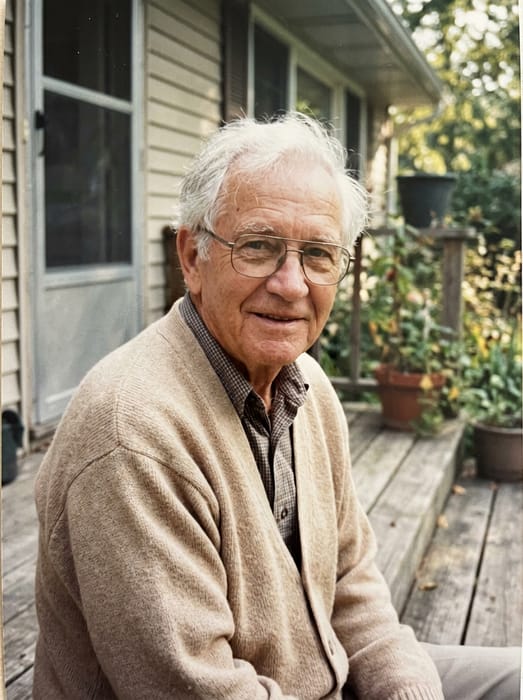 Grandpa
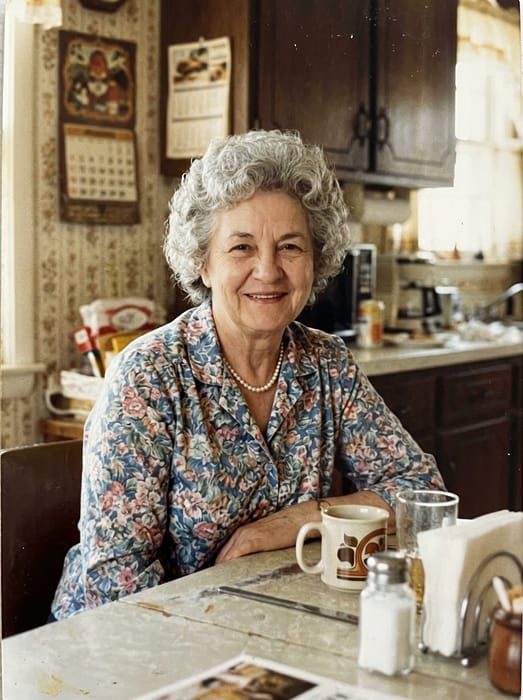 Grandma
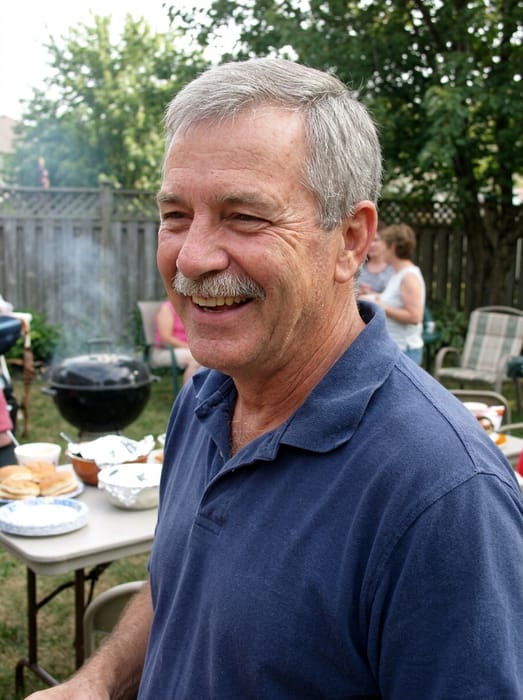 Dad
Dad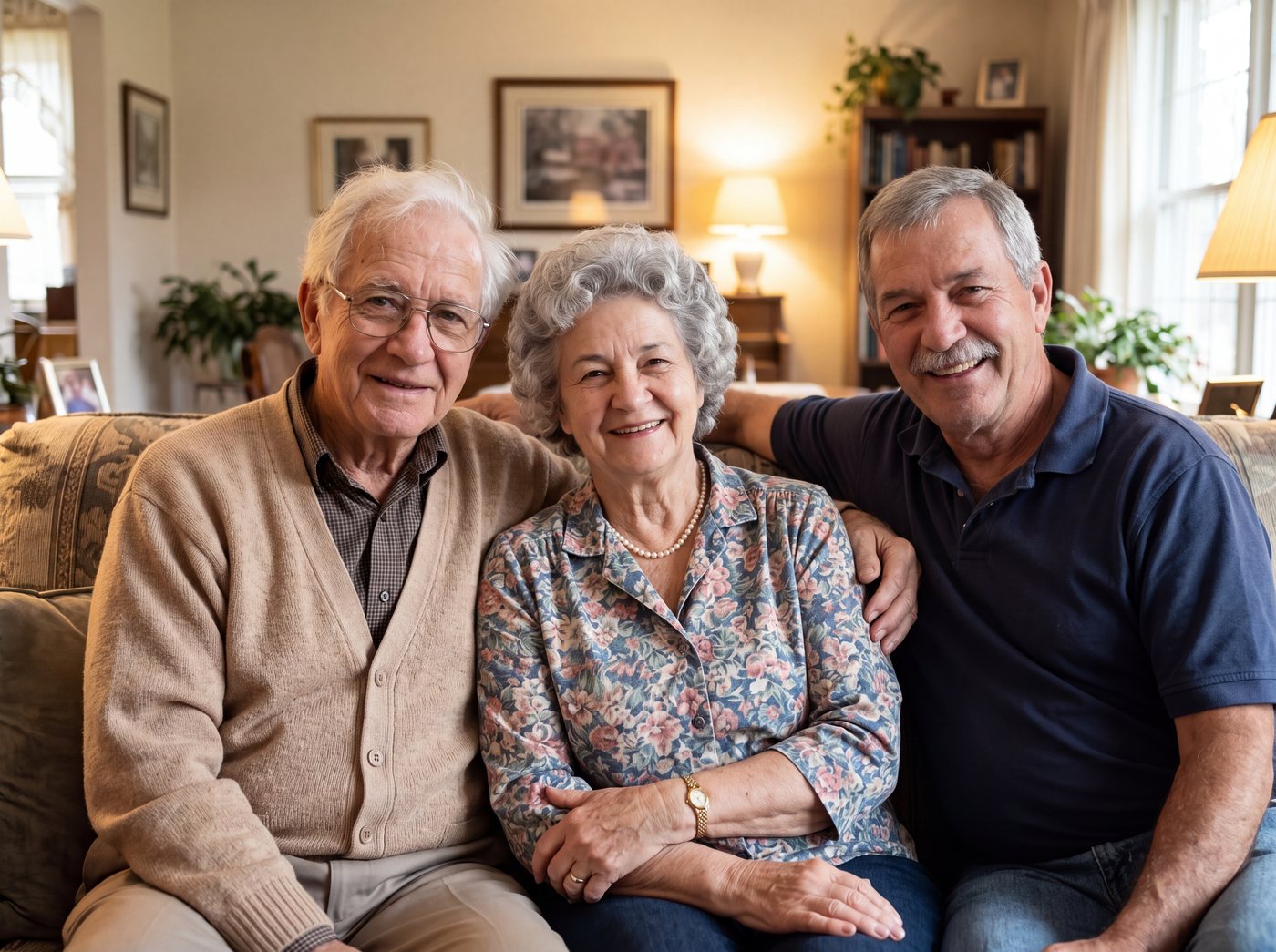 Finished picture
Try it free
One photo of each person
Two to five people or pets, one clear photo each.
Pick a setting
Optional. Leave it on the first one for a plain photo.
Anything we should know?
You can leave this empty.
Free to try. You only pay if you want to keep the full-size picture.
Merge two photos into one: what you get
You get one new photo with the people standing or sitting together, in the same light. Their faces come from the photos you give us. The backgrounds of your original photos are not used.
You can use up to five photos, one for each person or pet. The examples on this page show a few people. Two is the simplest place to start.
How do I turn two photos into one picture?
- Pick one clear photo of each person. Faces that are big and well lit work best.
- Optional: write the setting or clothes, like "on a porch, both in blue".
- Look at the free preview. Change the note and try again if you want.
- Keep the full-size picture if you like it. It costs from $6.99.
Photo tips
- The photos can be from different years. Each person looks the age they are in their own photo.
- Photos where they are looking at the camera give the closest likeness.
- Faces cut off at the edge, sunglasses and heavy shadows make it harder, so pick the clearest photo you have.
DadGrandma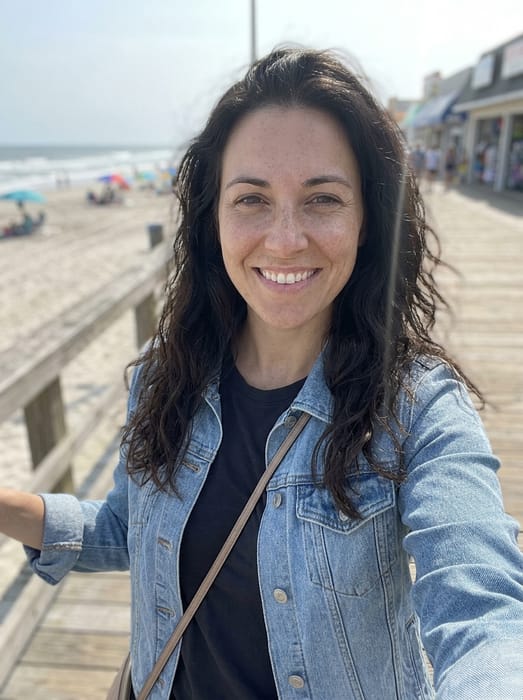 Daughter
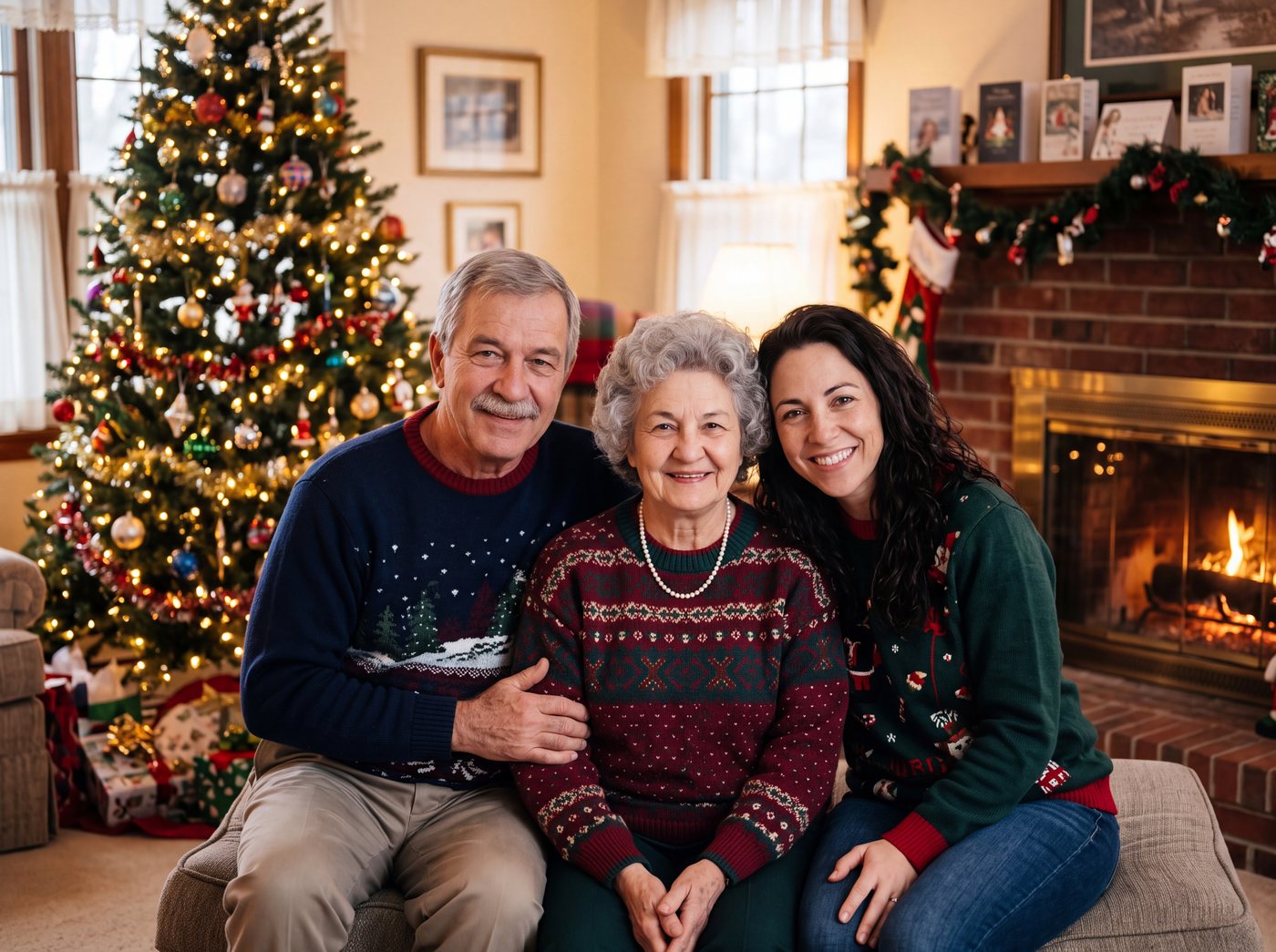 Finished picture
Questions
Is this the same as making a collage?
No. A collage puts several pictures on one page. This makes one new picture of the people together, as if they stood for the same photo.
What if the only photo of someone has other people in it?
Crop it so only that person is in the picture before you upload it. Each photo should show just one person or pet.
How many photos can I merge?
Two to five, one for each person or pet. For one person added to a photo you already have, use the add option instead.